 11 minutes ago
3
GL.iNet Fortify: 30-second review
The GL.iNet Fortify (GL MT6000) is a dual-band Wi-Fi 6 router with built-in ExpressVPN support. It is rated AX6000, with up to 4,804Mbps on 5GHz and 1,148Mbps on 2.4GHz. A quad-core 2.0 GHz processor handles the routing. VPN throughput is quoted at up to 900Mbps on WireGuard.
This product is a collaboration between two companies. GL.iNet supplies the hardware, firmware and interface. ExpressVPN supplies the VPN service. It replaces the Aircove, which ExpressVPN has now retired.
Given that the Aircove was a locked-down box that did one job, this is good news for those who like ExpressVPN technology. The Fortify is a full GL.iNet router that happens to ship with a VPN subscription. You get the tunnels, the kill switch and the routing rules. Included are also AdGuard Home, Tailscale, parental controls, dual WAN failover and full access to the OpenWrt layer underneath.
You are not forced to use ExpressVPN, since the hardware will support other options. A year after purchase, you might decide to go elsewhere, and that's fine.
The compromises are clear. It is Wi-Fi 6, not Wi-Fi 7. Only two of the six Ethernet ports are 2.5GbE. Mesh support is weak. For a home that wants every device behind a VPN, none of this is a deal-breaker, but for business users it might be.
The Flint 2 is one of the best Wi-Fi routers available, and by association, that accolade transfers to the Fortify.
GL.iNet Fortify: Price and availability
- How much does it cost? $200/£181/€210
- When is it out? Available now
- Where can you get it? You can get it directly from GL-iNet, and it is also available from Amazon.
The price of the GL.iNet Fortify makes more sense when you consider what it replaces. The Aircove was listed at £294 in the UK, and that was for much weaker hardware with no subscription included beyond a 30-day trial.
In the USA, it was typically $189.90, but it’s now discontinued globally.
The Fortify is $199.99/£180.99 and includes 12 months of the ExpressVPN Advanced plan. But on Amazon.com for US customers or on the GL.iNet website, a voucher reduces it to $169.99.
The obvious comparison is the Flint 2 itself. GL.iNet sells it for $169.99/£152.99. But occasionally it is less, and for Black Friday it is only $144.49/£127.98.
So the Fortify carries a premium of about $30/£28 when it isn’t discounted. ExpressVPN values the Advanced plan at $119.95, although discounted pricing on its own website is well below that. Either way, you are paying less for a year of VPN than you would elsewhere.
There is some small print. Claiming the plan means providing proof of purchase and a payment method. The subscription renews automatically unless you cancel. Existing ExpressVPN subscribers with an active plan don't get the free year added on top. Existing Aircove owners can claim 20 per cent off through ExpressVPN support.
If you want Wi-Fi 7, the Flint 3 is available for around £178.99, but it's discounted by 20% for Black Friday, making it only $167.99/£143.19 on Amazon. But if you take that option, you would need to buy your own VPN to use with it.
- Value score: 4.5/5
GL.iNet Fortify: Specs
Feature |
Spec |
Model |
Fortify (GL MT6000) |
CPU |
MediaTek quad-core, 2.0GHz |
Memory |
1GB DDR4 |
Storage |
8GB eMMC |
2.4GHz |
4x4, up to 1,148Mbps |
5GHz |
4x4, up to 4,804Mbps (20/40/80/160MHz) |
6GHz |
N/A |
Ports |
1x 2.5GbE WAN, 1x 2.5GbE WAN/LAN, 4x 1GbE LAN, 1x USB 3.0 |
Antennas |
4x external, hinged |
VPN speed (quoted) |
WireGuard up to 900Mbps, OpenVPN DCO up to 880Mbps |
Clients (quoted) |
Up to 86 |
Coverage (quoted) |
Up to 1,500 sq ft |
Mesh |
No (repeater mode available) |
Modes |
Router, repeater, drop in gateway |
Firmware |
GL.iNet 4.x, OpenWrt-based [Mark to confirm tested version] |
Power |
12V/4A DC, under 20W |
Dimensions |
233 x 137 x 53mm |
Weight |
761g |
Warranty |
2 years |
GL.iNet Fortify: design
- Like the Flint 2
- Only two 2.5GbE LAN/WAN ports
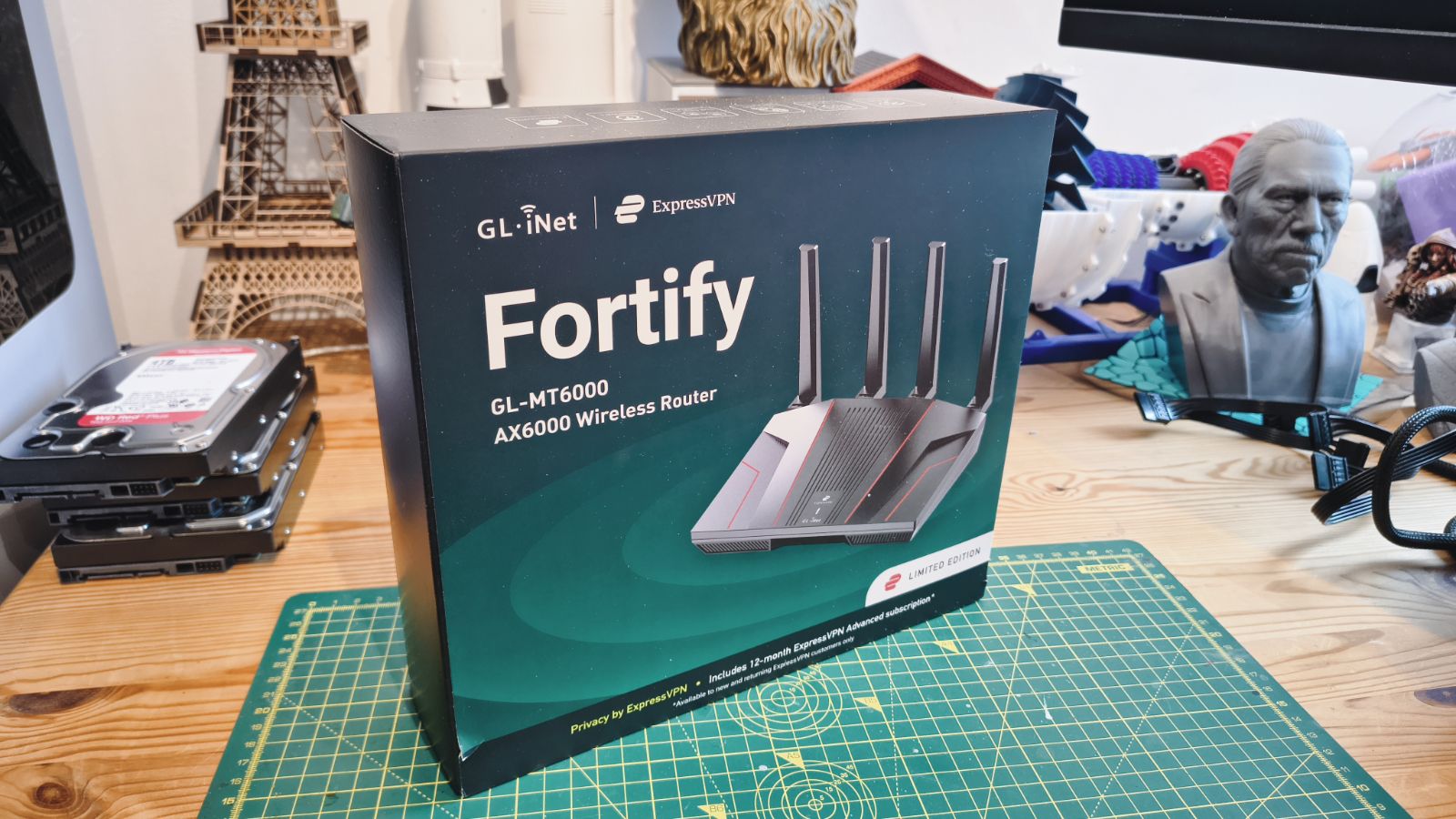
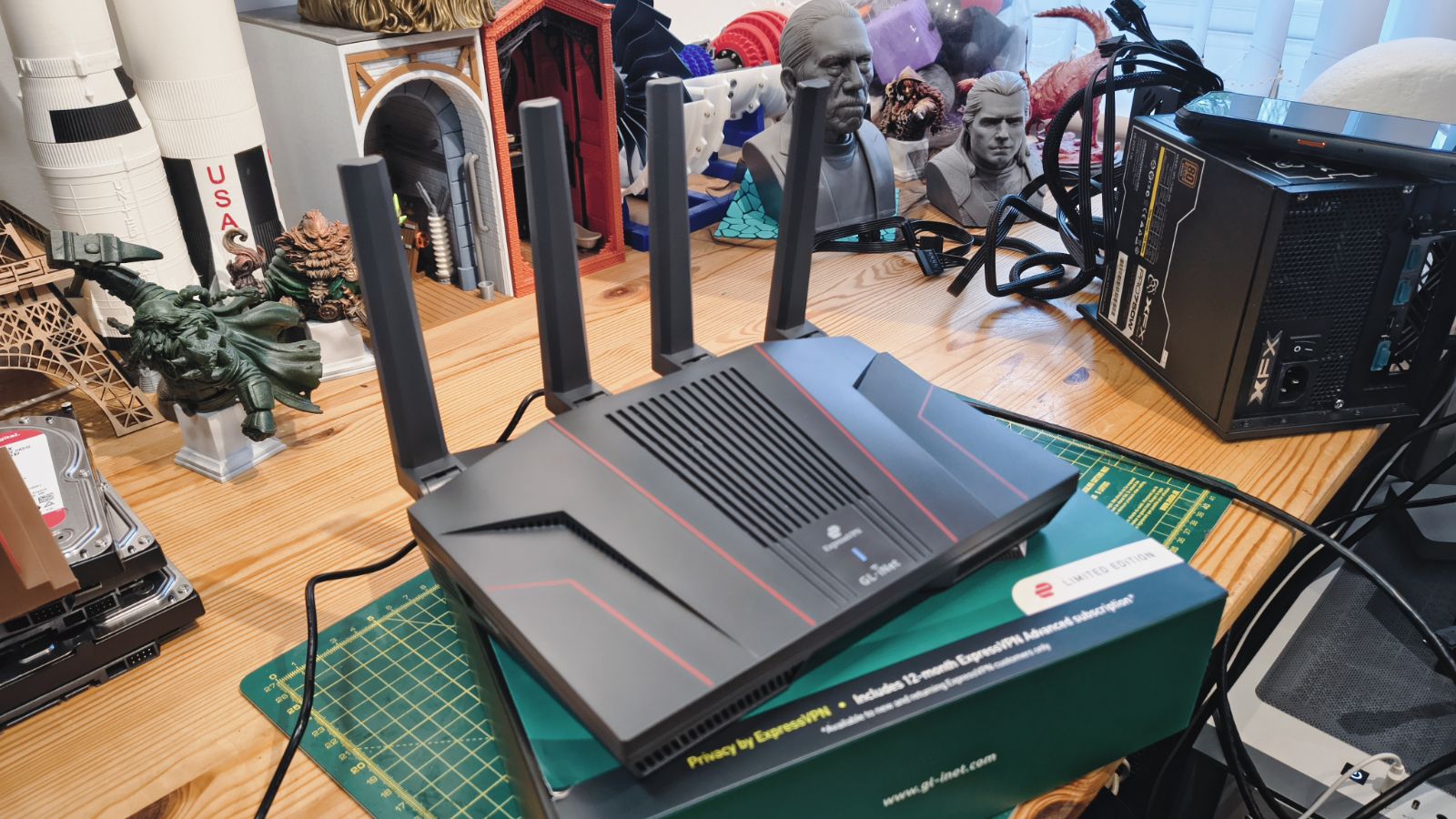
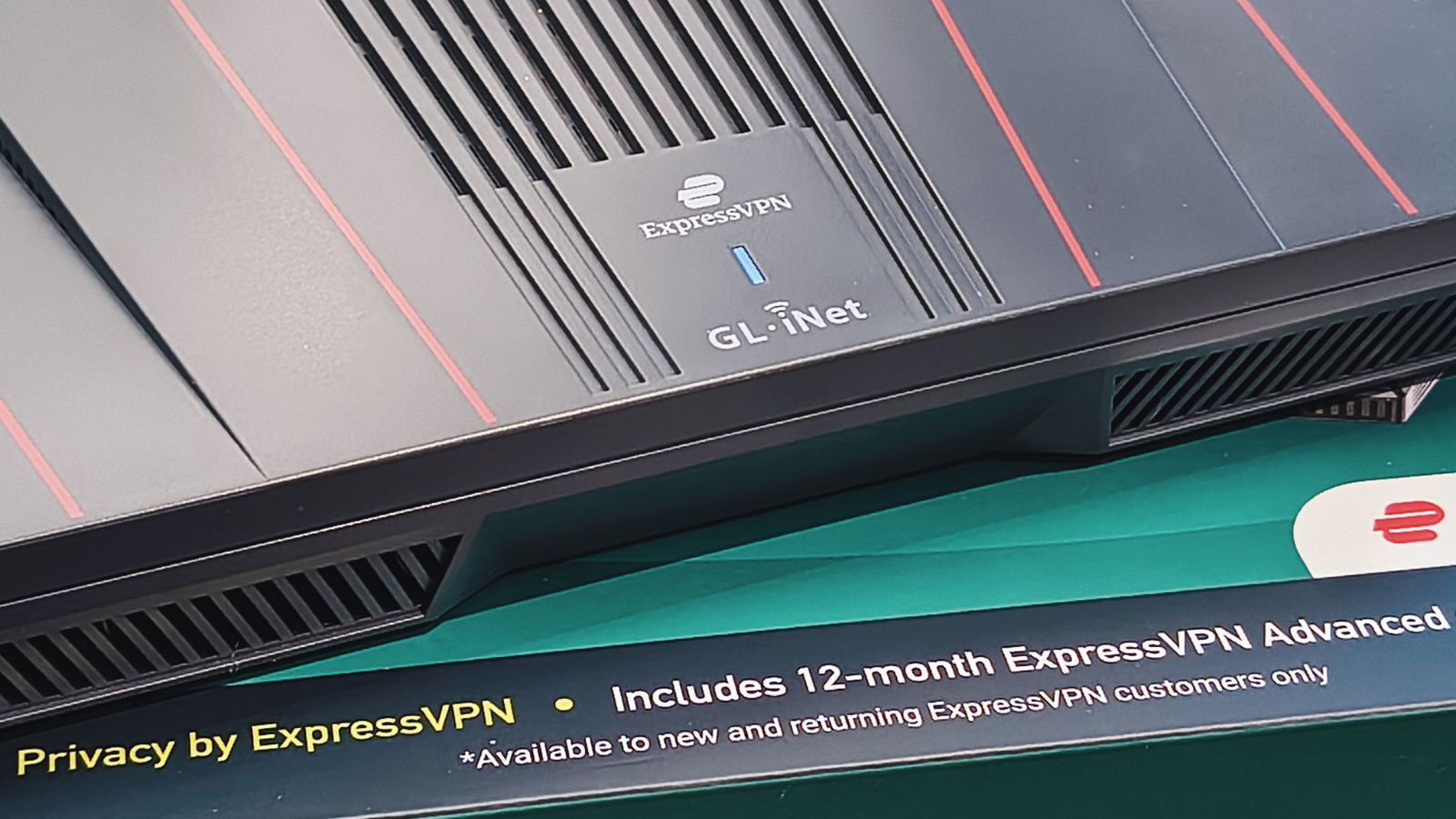
The Fortify is a Flint 2 in all but name. The hardware appears to be identical. The visible changes are an ExpressVPN logo beside the GL.iNet one, and thin red accent lines across the casing. The packaging is labelled as a limited edition.
It is a matte black, angular box with a large vented top. It looks like networking hardware, not a lifestyle accessory. That suits a shelf or a cupboard rather than a living room. At 761g it is heavy for a home router, and it feels solid, even if it's mostly plastic.
Four antennas are fixed to the body. They hinge, so you can angle them or fold them flat. There is a single LED on the front for power and internet status. I prefer that to a row of flashing port lights, especially if the router is within my field of view.
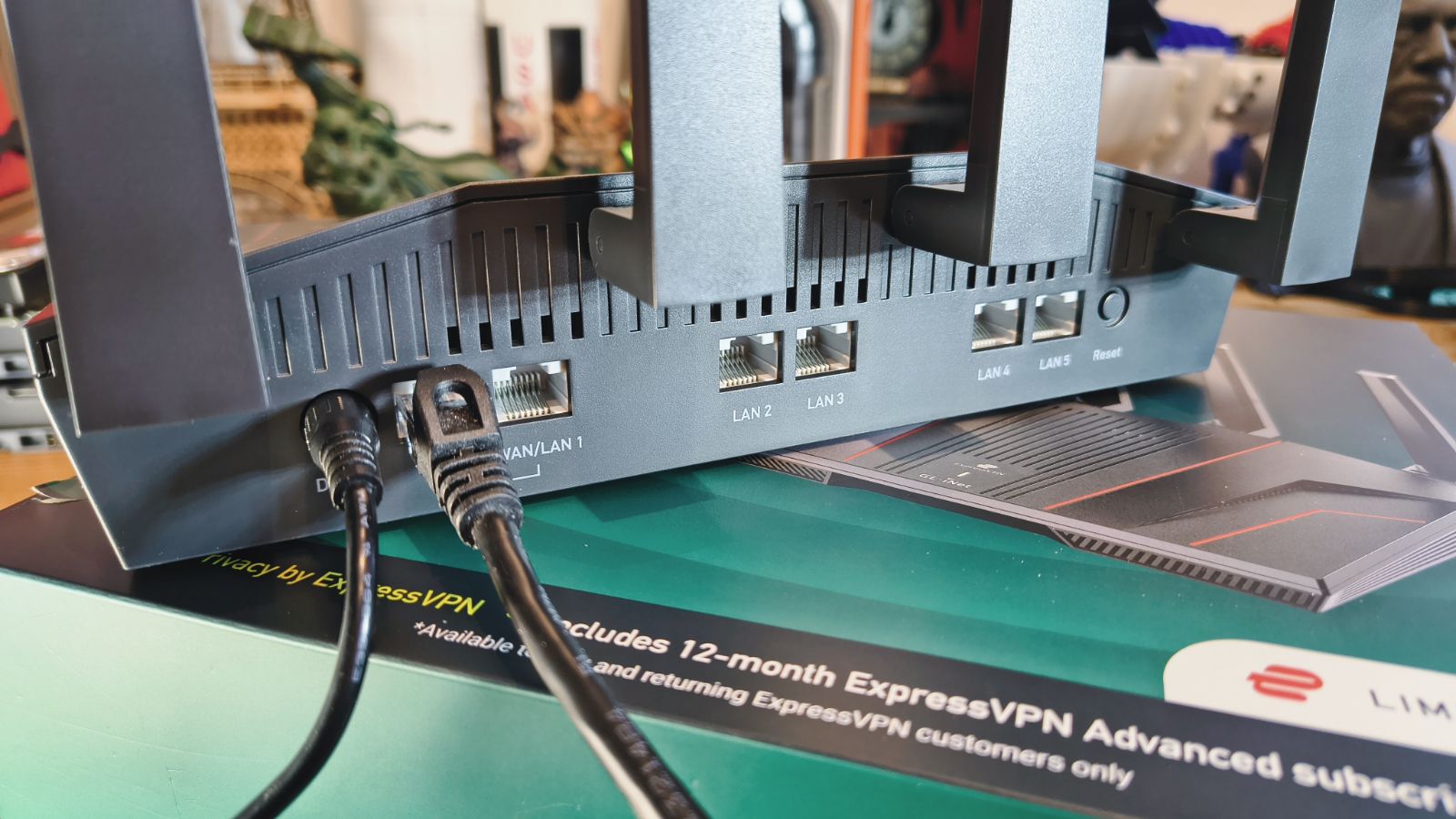
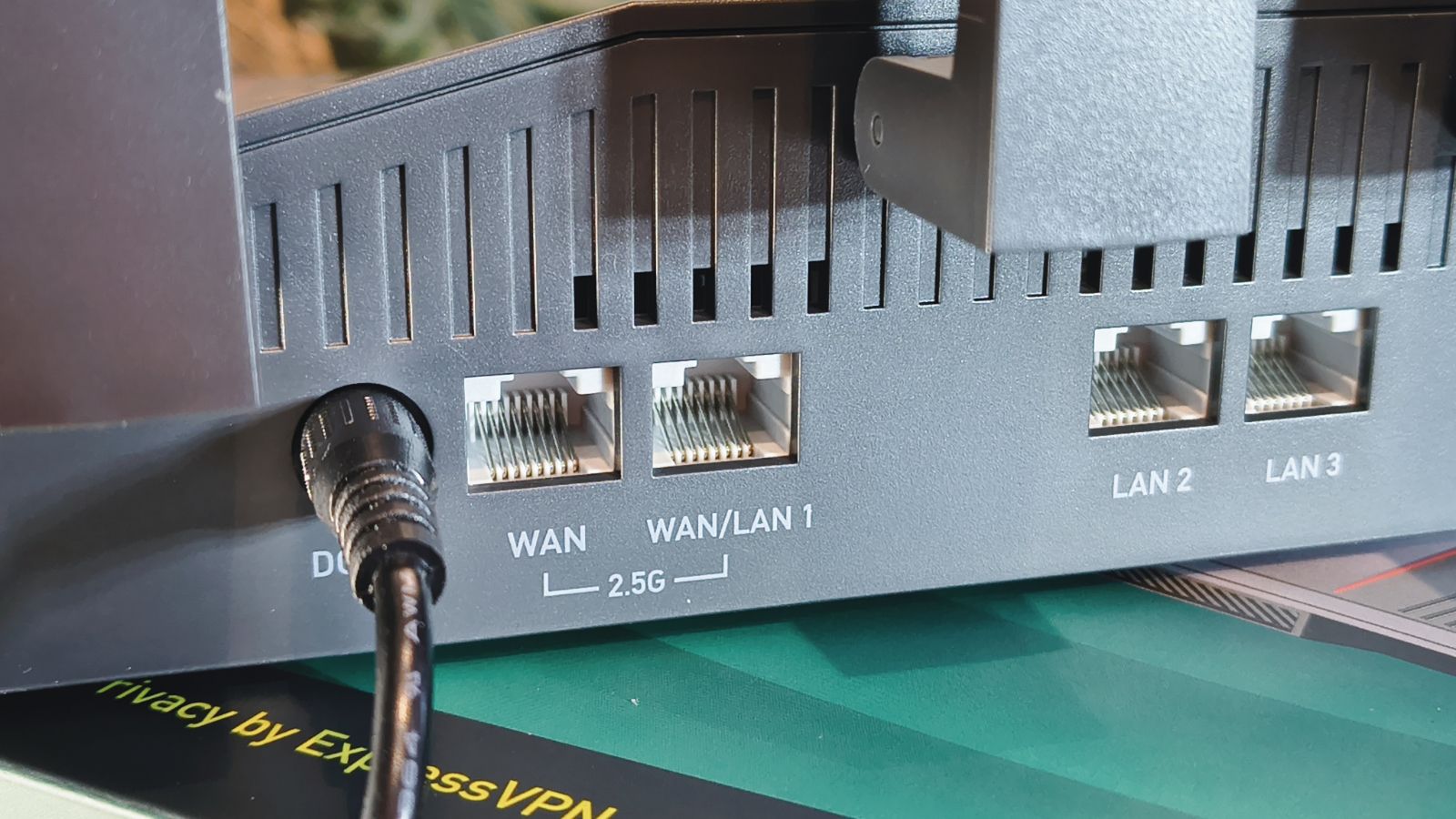
The rear holds the DC input, the 2.5GbE WAN port, a second 2.5GbE WAN/LAN port, four gigabit LAN ports and a reset button. The USB 3.0 port sits on the side, which makes it easy to reach for a drive or a cellular dongle.
Curiously, when you get into the interface, you can downgrade the USB 3.0 port to USB 2.0, even if the logic of doing so evades me entirely.
My primary complaint here is the LAN port mix. Only two ports are 2.5GbE, and one of them is the WAN. On a multigigabit connection, that leaves one fast port for a NAS or a desktop. Everything else drops to gigabit. The Flint 3 has five 2.5GbE ports, and that is part of why it costs a little more.
In the box, you get the router, a 12V/4A power adaptor, an Ethernet cable and the usual paperwork.
This router is literally the Flint 2 with go-faster-stripes, even if it won’t go any faster in almost any respects.
Design score: 3.5/5
GL-iNet Fortify: In use
- OpenWRT
- Same as the Flint 2
- Only one USB port
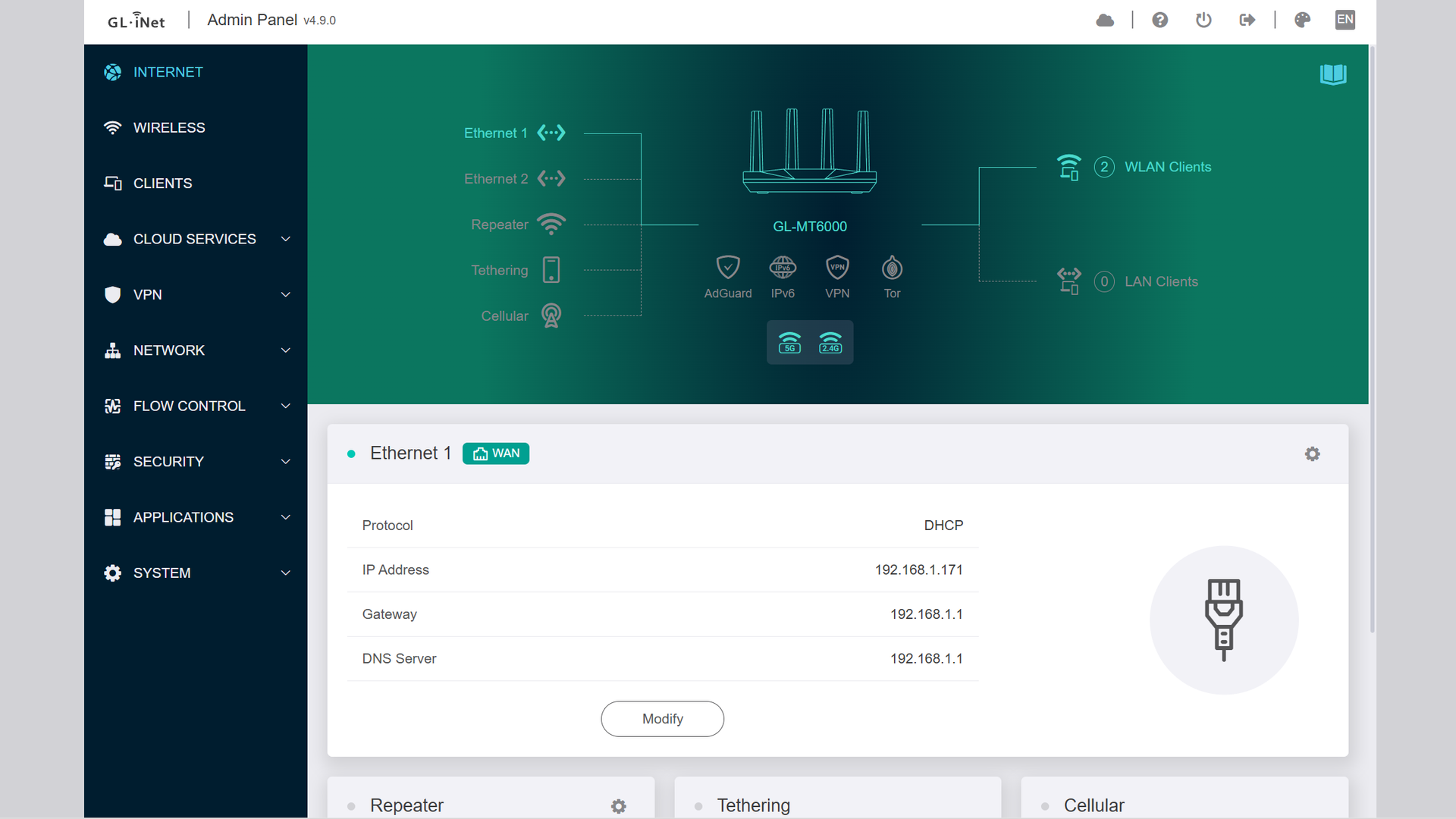
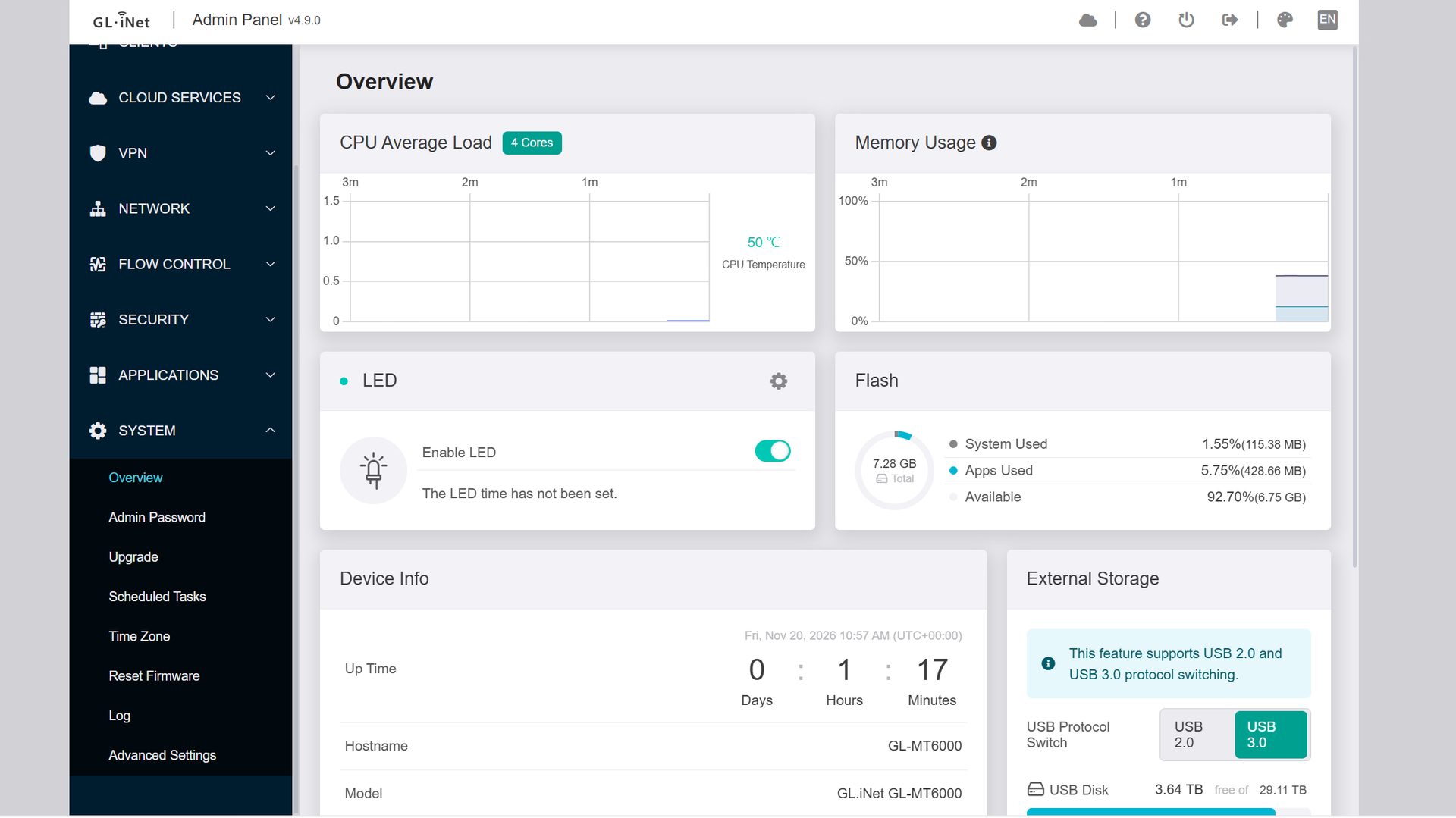
Setup is the same as any GL.iNet router. Connect to the default Wi-Fi network using the password on the label, or plug in a cable. Browse to 192.168.8.1. Choose a language and set an admin password. You land on the main dashboard in a couple of minutes.
There is a GL.iNet mobile app, but the Fortify isn’t specifically mentioned on it, though you can use it and just pick the Flint 2 and that will work. However, it gives you a subset of the features available when using the web interface, and it will not mention ExpressVPN.
So, I wouldn’t use it.
Once you are connected to the web interface, there are effectively three sub-modes the router will run that are labelled Ethernet, Repeater and Tethering.
And this is where I had my first issue with OpenWRT, because I was expecting there to be an Access Point (AP) mode at this stage, and it doesn’t immediately offer one. No problem, I thought, so I disabled DHCP and gave the router a static IP, with it wired to my internal network.
It worked fine for my phone connected by Wi-Fi, with one important exception: I could no longer access the web interface. And, try as I might, over wireless and wired, the router was no longer configurable.
A quick search revealed this is a known issue with OpenWRT 21.02, and there are convoluted ways around it, but I later discovered that this is a feature in the Networking section, but not one it presents to you initially.
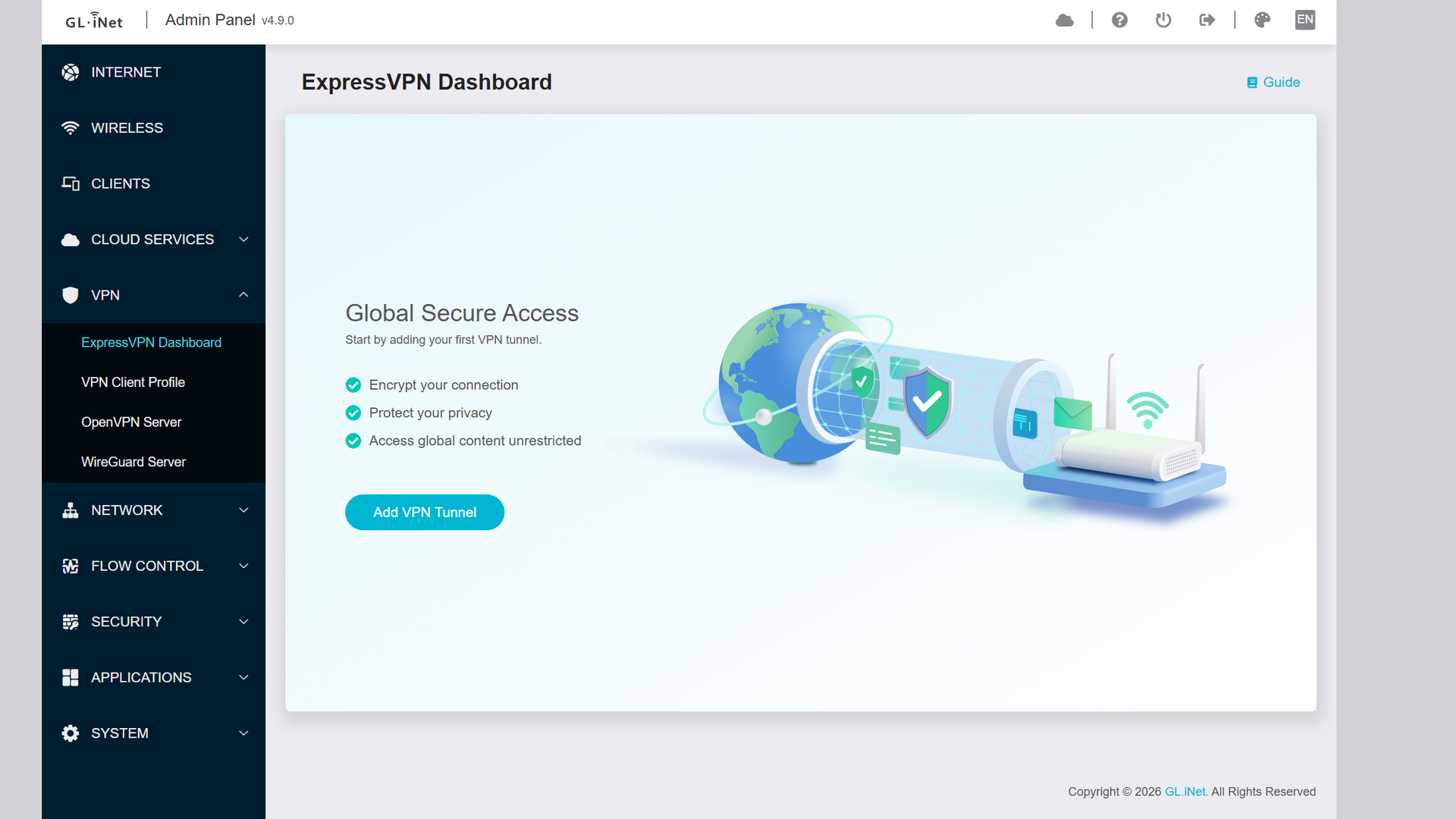
Thankfully, the ExpressVPN activation sits in the VPN section, not in the first run wizard. That is a sensible change from the Aircove, which pushed you into ExpressVPN from the start. You can get the router working first and activate the subscription afterwards.
The VPN dashboard is what people will buy this router for, and it doesn’t disappoint. You can create tunnels and then decide what goes down them. Rules can target a device, a whole network, a domain or an IP address. Send the living room TV through one country, a laptop through another, and leave the games console alone. A kill switch blocks traffic if the tunnel drops for whatever reason.
While it’s the selling point of the device, the Fortify is not locked to ExpressVPN. You can import a WireGuard or OpenVPN profile from another provider and use it in the same dashboard. At launch, the ExpressVPN connection uses WireGuard only. Lightway, ExpressVPN's own protocol, is not available. Aircove users will notice.
Under that sits a long list of extras. AdGuard Home blocks ads and trackers across the network, and it is better than the fixed lists the Aircove used. Tailscale and ZeroTier handle remote access, although Tailscale is still labelled as being beta. The router can act as a WireGuard or OpenVPN server. USB storage can be shared over Samba, WebDAV or DLNA. The plugin page opens up the OpenWrt package repository, with 8GB of storage to play with.
There is also a set of traffic tools. A deep packet inspection engine identifies applications and feeds data statistics, a content filter, QoS and parental controls. SQM tackles bufferbloat on slower lines. GL.iNet says the classification happens locally on the router. Some larger brands charge a subscription for similar tools, so that’s something to consider.
The wireless side is well thought out. You can run Main, Guest and IoT networks, each with its own SSIDs and subnet. That keeps smart home gear away from your PCs without any need to understand VLANs. One tip. The default security mode is WPA2. Switch the main network to WPA2/WPA3 mixed mode.
There are a few rough edges. I noticed that the client list struggles with identification. Devices show up by hostname and MAC address, and some appear twice, suggesting that it doesn’t triage its data collection. Parental controls rely on MAC addresses, so phones using randomised addresses can slip past a rule. Some settings also conflict. If you let AdGuard Home handle client requests, domain-based VPN rules and parental controls stop working. DPI also switches off hardware acceleration, which could matter on very fast lines.
Power users can reach the standard LuCI interface from the System menu. You can even flash vanilla OpenWrt, but you would lose the GL.iNet interface and the ExpressVPN integration. On that basis, it's probably a bad idea.
One point of clarity. The ExpressVPN Advanced plan includes a password manager, an email relay, and extra tracker blocking. Those live in the ExpressVPN apps on your devices, not on the router.
- In Use: 4/5
GL.iNet Fortify: Performance
- No 6GHz
- Lacks user-friendly Mesh
This hardware is promoted as AX6000, which sounds great, on paper.
The AX6000 rating is calculated by adding up 4,804 Mbps on 5GHz and 1,148 Mbps on 2.4GHz. But, being frank, that is a theoretical total, and it assumes a client configuration that almost nobody has. The 5GHz figure needs a 4x4 client on a 160MHz channel. A typical phone or laptop uses at best a 2x2 radio. Even for those clients that support 160MHz, that tops out at 2,402Mbps, and most devices will connect well below it.
Using a mini PC with a MediaTek MT7925 (RZ717) Wi-Fi 7 adapter at 160MHz, I did achieve the hallowed 2400Mbps connection at short range over 5GHz. However, file transfers to the storage on the USB port using SAMBA were quicker over the 2.5Gbps LAN port.
Obviously, at distance and using the 2.4GHz frequency range, mileage can vary, and for those allowed to use it, there are no 6GHz channels.
There is also an extra UK caveat. A 160MHz channel on 5GHz uses DFS channels. The Fortify picked channel 64 by default. After a reboot, the 5GHz network can take around a minute to appear while the router checks for radar. In a crowded street, 80MHz will probably be more reliable and able to get the router operational in the event of a reboot.
Wired performance is solid. I reliably saw greater than 2.3Gbps in each direction across the 2.5GbE ports, where the gigabit ports ran at around 940Mbps. That 2.5GbE WAN means the router no longer caps a fast broadband line at gigabit, though it would if you had 5GbE or more.
But the critical numbers for this device are VPN speed. The quoted 900Mbps is a hardware figure for WireGuard in client mode, measured in controlled conditions on a local network. ExpressVPN is open about this because any encrypted protocol is going to reduce throughput due to the packaging of data for sending over the tunnel. The result will depend on the server you pick, your ISP and your device. A ballpark figure of around 900Mbps for WireGuard client mode is typical, supporting the hardware claims made for this router.
The comparison with the Aircove is the interesting part. ExpressVPN rated the Aircove at 330Mbps, and many people who tested that hardware claimed it was less in real-world testing. The Fortify has roughly three times the processing headroom of the Aircove, meaning on a gigabit line, the router is far less likely to be your bottleneck.
Coverage is quoted at around 1,500 sq ft in open conditions, but that does assume that the internal structures of the property aren’t substantial. In the UK, houses, especially older ones, can have internal brick walls and even in a three-bedroom house you can have connectivity issues.
The way to address this is using multiple access points and Mesh, but on this hardware there is no friendly mesh option like EasyMesh or AiMesh. You could use repeater mode, or separate repeaters, but it's never as seamless as a good Mesh setup.
One positive to end on is that using the USB port to connect external storage works better on this device than most. I’ve seen a dozen routers with a blue USB port, stated to be USB 3.0 specification, where file transfer speeds are limited to 40MB/s (USB 2.0). On this router, I was able to get 90MB/s from an external hard drive, and even faster from an external SSD.
I still wouldn’t use a router as a server, but it’s a better option than most.
- Performance score: 4/5
GL.iNet Fortify: Final verdict
The Fortify is a very good router with a VPN built in, not the other way around. That is precisely the right way to build it. ExpressVPN has handed the hard work to a company that does networking for a living, and the result is far better than anything the Aircove managed.
If this hardware has a purpose, it's to sell ExpressVPN subscriptions, and it does a reasonable job of presenting that path.
However, it’s hardly cutting-edge hardware, since the Flint 2 first appeared in October of 2023, and, paraphrasing Louis B. Mayer, we’ve all passed lots of truncated packets since then.
In 2023, most people had broadband connections under 1 Gbps and internal networks at 1 Gbps. Now connections of over 2 Gbps are common, and most networks are at least 2.5GbE or 10GbE.
Therefore, only having a WAN that supports 2.5GbE and a single 2.5GbE LAN port might be an issue. And, in a similar vein, Wi-Fi 7 is missing, and so is a simple Mesh solution.
While the software is certainly feature-rich, it has so many features that some overlap. But the speed is there, the control is deep, and the price is fair.
In short, if this router were Wi-Fi 7, had a Mesh ‘on’ switch and four 2.5GbE ports, I’d probably recommend it at twice the price.
Should I buy a GL.iNet Fortify?
Value |
A year of ExpressVPN for about £28 over the Flint 2 |
4.5/5 |
Design |
Solid and plain, with too few 2.5GbE ports |
3.5/5 |
In Use |
Deep features, with a few rough edges |
4/5 |
Performance |
Fast WireGuard and strong 5GHz, but Wi-Fi 6 only |
4/5 |
Overall |
A capable VPN router that has finally grown up |
4/5 |
Buy it if...
You want your whole home/business behind a VPN
Smart TVs, consoles and cameras cannot run VPN apps. The Fortify protects them all, and the rule-based routing lets you decide which ones.
You also want a proper router
AdGuard Home, Tailscale, dual WAN failover and LuCI access put it ahead of most mainstream brands.
Don't buy it if...
You already pay for a VPN
The Flint 2 is the same router for less money, and it comes with ready-made profiles for dozens of providers.
You want Wi-Fi 7, or more 2.5GbE ports
The Flint 3 is the better choice, and it costs about the same.
You want Mesh
The Fortify does not offer a user-friendly version, so a large home would need extra access points.
Read more: We tested the best VPN services