
 1 hour ago
2
1 hour ago
2
Asus ProArt P16 RTX Spark: two-minute review
The Asus ProArt P16 RTX Spark is one of the new generation of laptops powered by Nvidia’s RTX Spark chip. This all-in-one system-on-a-chip is packing 20 ARM CPU cores, 6144 CUDA GPU backed up by 64GB of RAM and promises to offer fantastic AI, creative and gaming performance in a lightweight, portable form factor. So how does this new SoC version of the Asus ProArt P16 laptop fare?
When powering up the Asus ProArt P16 RTX Spark for the first time, perhaps the first thing I noticed is its huge, vibrant 16-inch OLED screen. With a peak brightness of 1,100 nits and a 100% DCI-P3 color gamut, it looked gorgeous whether I was loading up my digital artworks or watching movies. And its 120Hz VRR makes it perfect for playing games on.
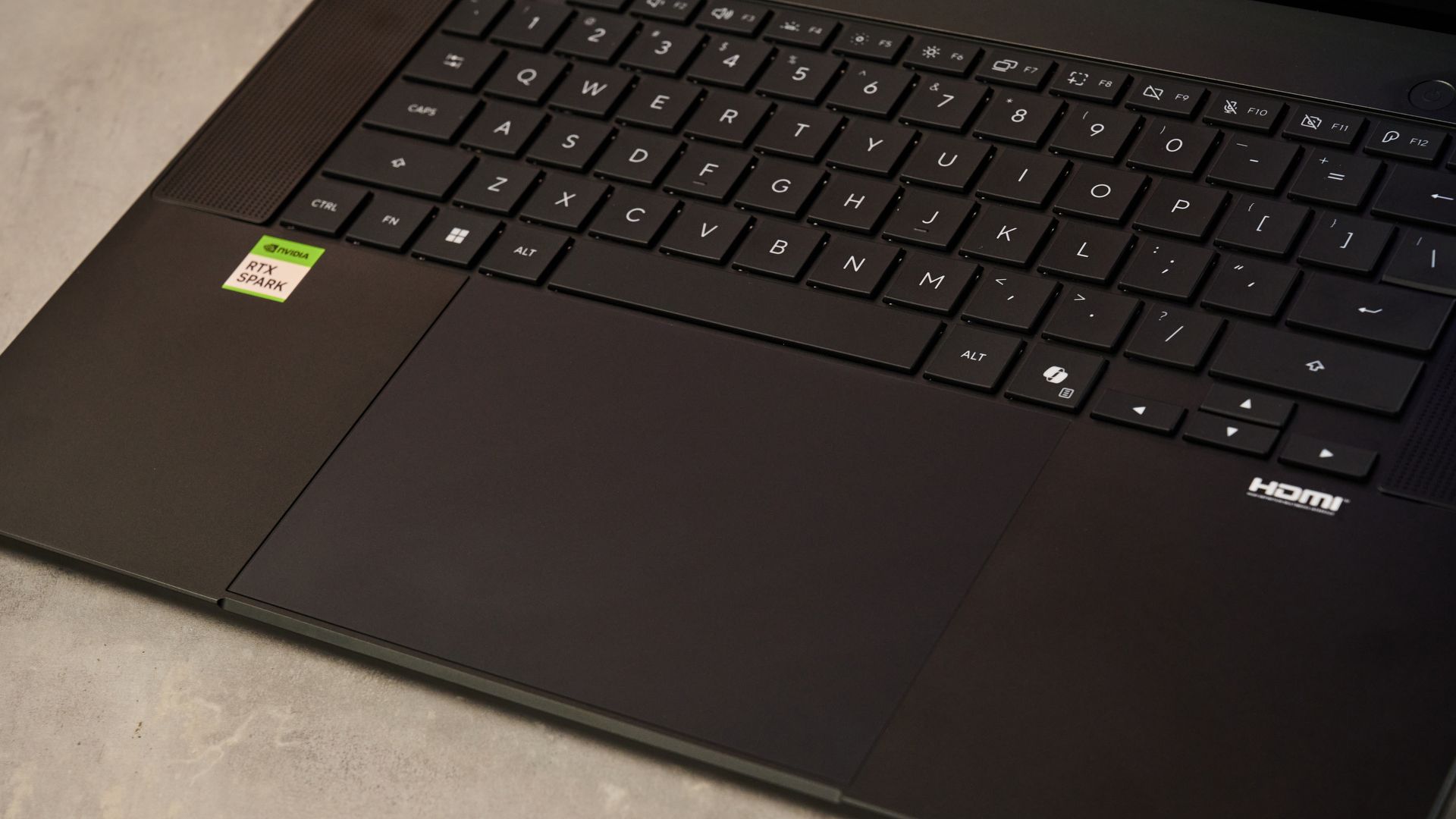
That’s not the only part of the ProArt P16’s design that feels premium. Its overall build quality feels suitably luxe, with the smooth metal of its upper casing feeling wonderfully tactile. Inside, its keyboard is well designed and feels pleasant to type on, while its haptic trackpad is precise and gives snappy feedback, even if I did find it too easy to trigger the right click at first. I will say its lid has a little bit too much wobble for my liking though: if I’m honest, I’d expect a laptop at this price to have a slightly more stable hinge.
But let’s not just focus on the superficial here: the ProArt P16 RTX Spark has a lot going on under the surface. That’s predominantly thanks to that Nvidia SoC, which enables it to tackle a wider range of tasks than even many of the best laptops.
Perhaps the most attention grabbing feature is its AI capabilities. Designed for hybrid workflows, the RTX Spark makes it easy to use a combination of local and cloud models to run your AI agents. Testing it out with the Qwen 3 8B open-source local model, I certainly found it had pretty snappy performance for basic workflows, with a basic data analysis only taking about 12 minutes.
More involved tasks took much more refining and prompting over multiple sessions though — attempting to automate 3DMark benchmarks took many 75 minute runs before the completion time reduced significantly. Still, being able to run these workflows on such a lightweight, portable machine was pretty impressive
Another area the Asus ProArt P16 RTX Spark delivers potent performance is during creative tasks. Running multiple PugetBench benchmarks for automating Photoshop and Premier Pro workflows, the ProArt P16 was only a little behind Apple’s M5 chip when running image-based tasks and beat it when it came to video tasks. And this was borne out by my own testing: even my largest 4K 300dpi Photoshop file crammed full of clipping masks didn’t make it wince, with filters and generative fills executing smoothly. Even downscaling the whole image to 2K only took around five seconds, which isn’t bad for a nigh-on 2GB file.
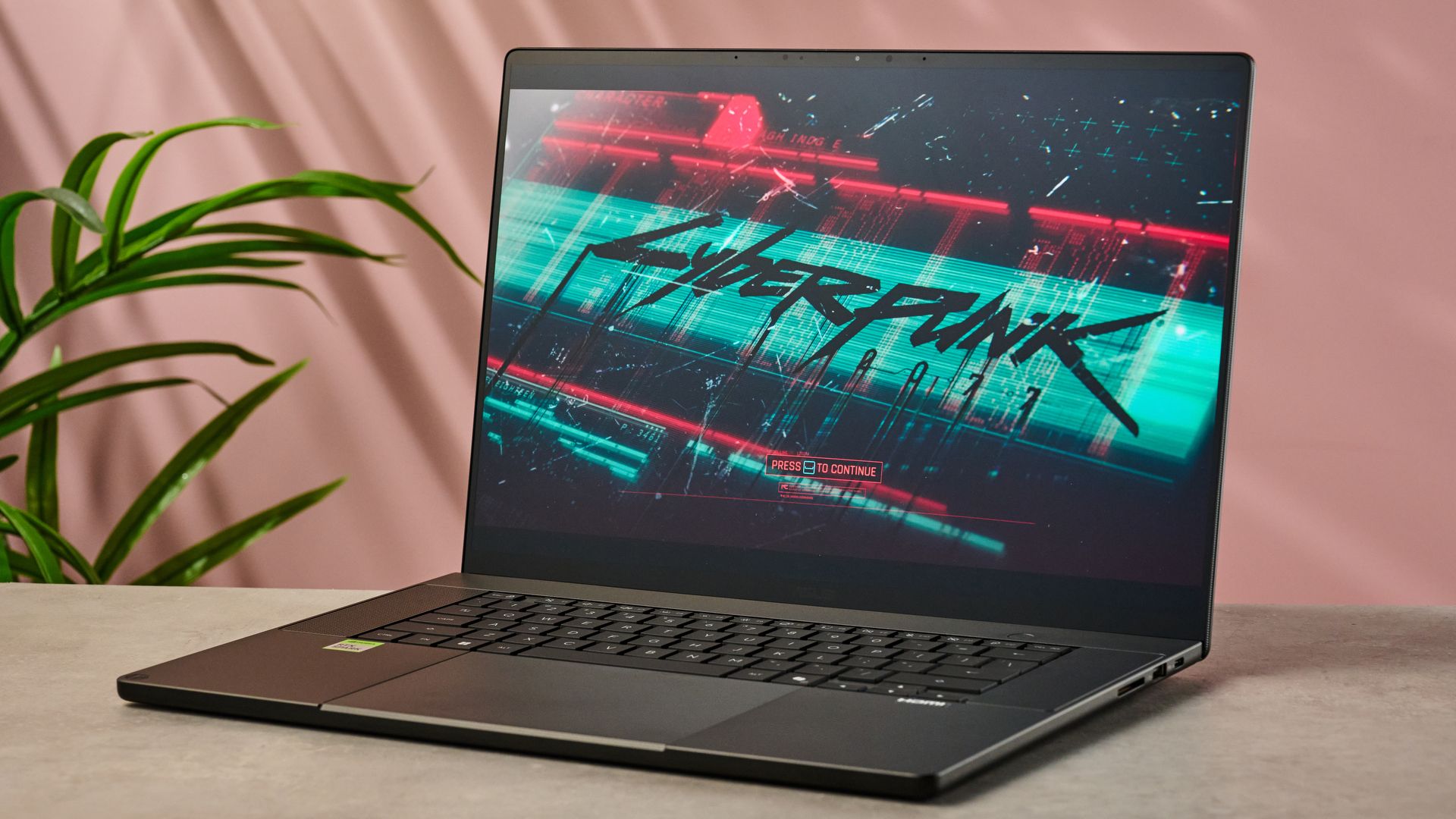
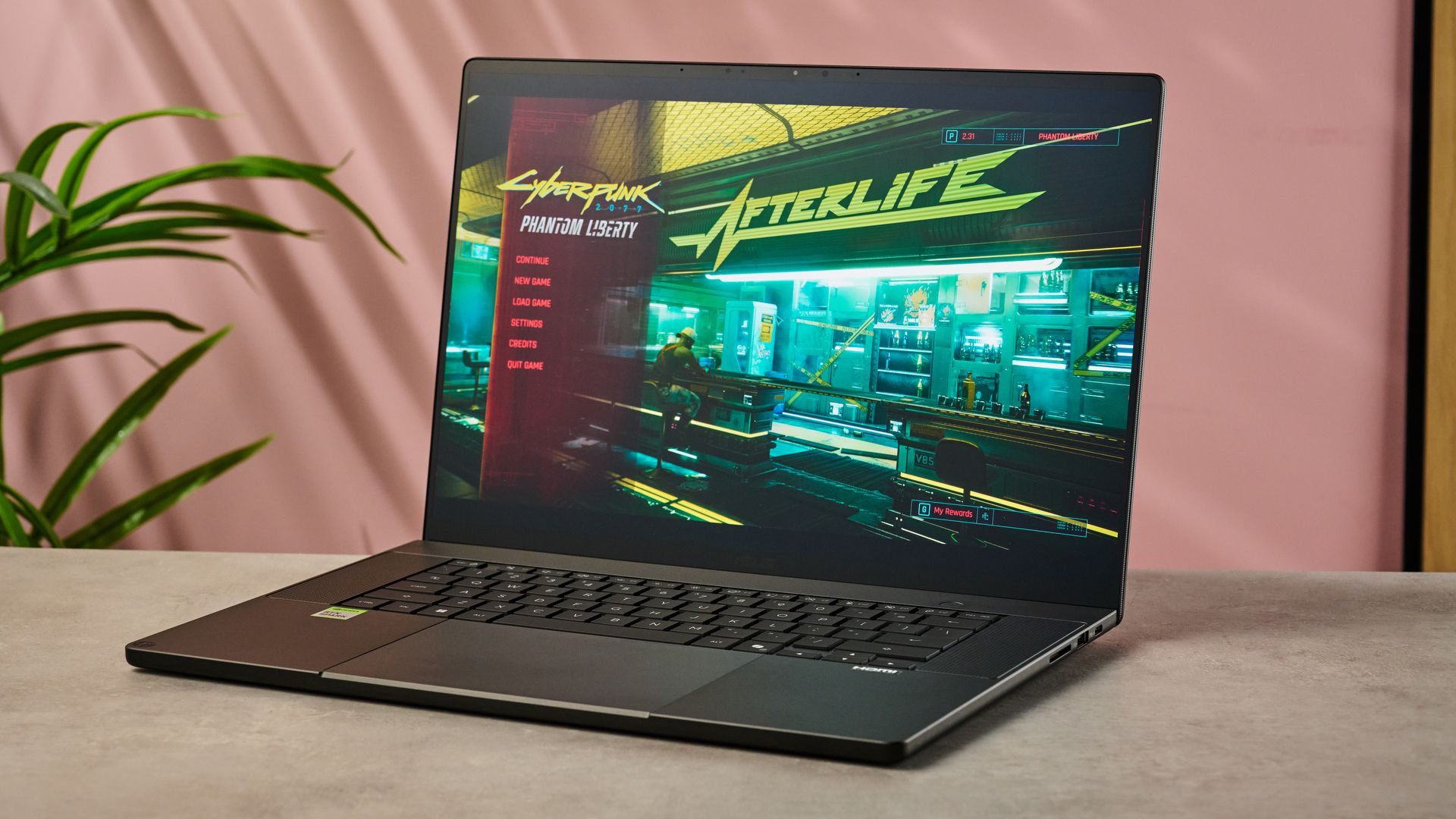
Few SoCs to date have been designed with gaming performance in mind. But given Nvidia’s heritage in this space, it’s hardly surprising that the ProArt P16 RTX Spark is capable of some serious gaming power. While it’s not quite able to deliver at the same level as RTX 5080 and 5090 GPUs, I enjoyed a very smooth 60fps on Cyberpunk 2077 on Raytracing Medium settings, while Gears of War: E-day ran at more solid than bedrock at over 110fps. So this laptop can achieve some stunning results, even if the performance you’ll get isn’t 100% the top of the range.
Given it can handle all of these tasks on the go, you’d hope it has a pretty capacious battery to back up that powerful chip. And it’s relatively good news on this front. While it only managed 11 hours of continuous video playback during my testing, during productivity based work it lasted well over 14 hours. That’s nowhere near as long-lasting as the Methuselah-like MacBook Pro M5 Pro, which clocked over 21 hours in our testing, but it’s certainly enough to get you through a standard day’s work.
Honestly, the Asus ProArt P16 RTX Spark is pretty adept at everything it tries to do: it’s a talented all-rounder. The only caveat really is its price: like many of the RTX Spark laptops, it isn’t cheap. Starting from $4,399.99 / £3,899.99 / AU$7,999, it costs just as much as a high-end gaming laptop or a pro-level creative workhorse — so, honestly, if you care more about getting the best performance you can in a specific niche, you may be better off investing in one of those instead.
However, if you need a single bow that can handle every single one of your strings, the Asus ProArt P16 RTX Spark is a good shout. It’ll handle running your own AI agents, whipping up creative work and even gaming for your downtime, all in a single, portable package.
Asus ProArt P16 RTX Spark review: price & availability
Having launched on October 9, the Asus ProArt P16 RTX Spark is available now. Unlike its smaller sibling, it ships with the higher-end Nvidia RTX Spark N1X with 6144-core GPU and 20-core CPU.
As a result, it’s a pricey meatball: its list price starts from $4,399.99 / £3,899.99 / AU$7,999 for the spec with 64GB RAM, 3K screen and 1TB SSD. That increases to $6,999.99 / £5,999.99 / AU$10,999 if you want the version with 128GB RAM, a 4K screen and a 2TB SSD.
Even with its impressive specs, there’s no getting away from the fact that this is a premium-priced laptop. Both in terms of price and spec, the ProArt P16 RTX Spark is pretty similar to the Samsung Galaxy Book6 Ultra with Nvidia GeForce RTX 5070, which will set you back $3,799.99 / £3,649 (around AU$5,410).
Alternatively, this kind of spend could net you the MacBook Pro M5 Pro 16-inch with 64GB for $2,999 / £3,999 / AU$6,299, which should give you a lot of performance and creative power but I wouldn’t expect to get quite as much gaming power for your buck.
Asus ProArt P16 RTX Spark review: Specs
Price |
$4,399.99 / £3,899.99 / AU$7,999 |
$6,999.99 / £5,999.99 / AU$10,999 |
CPU |
NVIDIA RTX Spark N1X 20-core |
NVIDIA RTX Spark N1X 20-core CPU |
GPU |
NVIDIA Blackwell RTX 6144-core |
NVIDIA Blackwell RTX 6144-core GPU |
RAM |
64GB |
128GB |
Storage |
1TB SSD |
2TB SSD |
Display |
16.0-inch, 2880 x 1800, 120Hz, 1100 nits OLED |
16.0-inch, 3840 x 2400, 120Hz, 1600 nits OLED |
Ports and Connectivity |
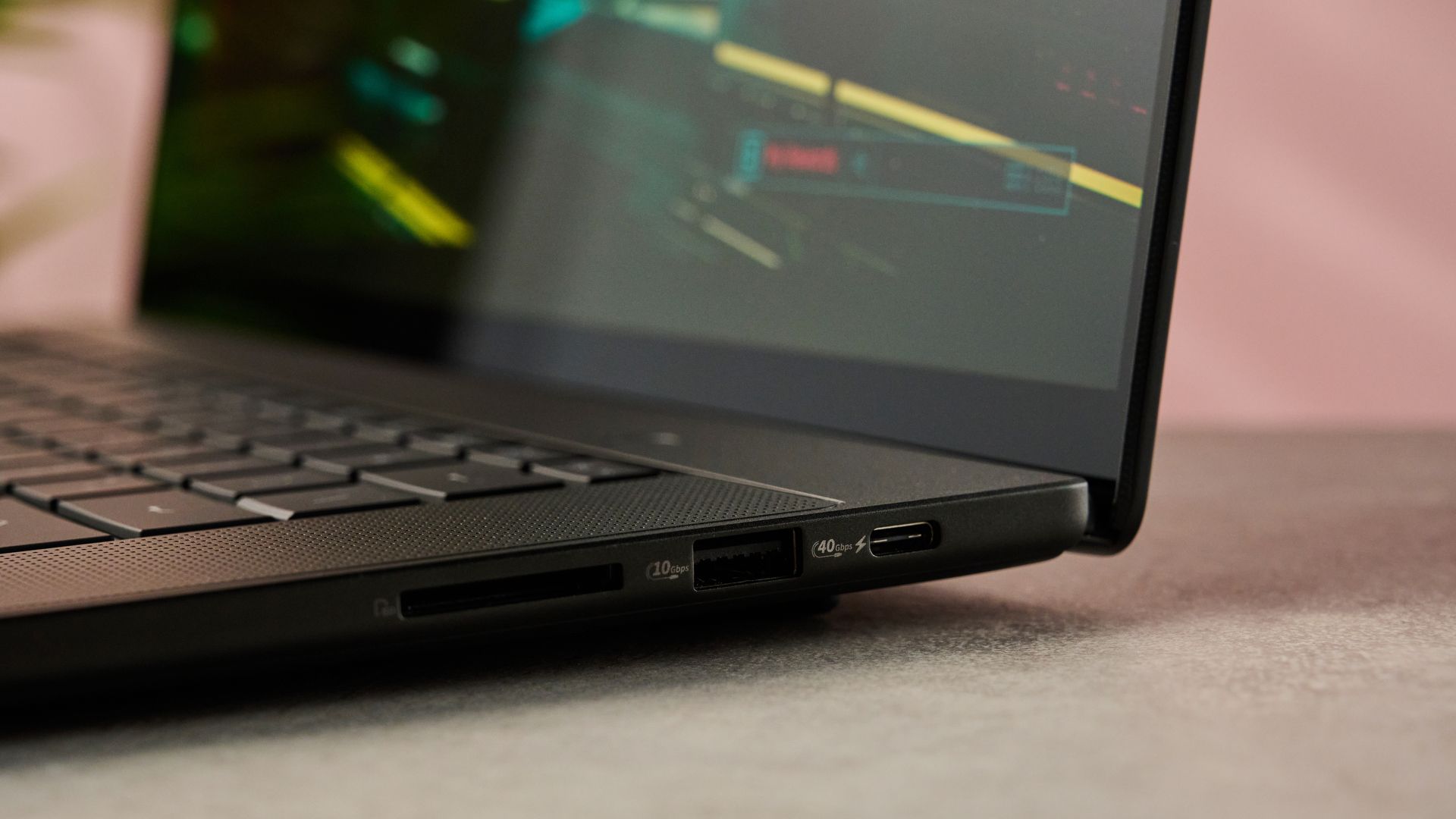
3x USB-C, USB, HDMI 2.1, 3.5mm Combo Audio Jack, SD Express 7.0 card reader |
3x USB-C, USB, HDMI 2.1, 3.5mm Combo Audio Jack, SD Express 7.0 card reader |
Battery |
99.9Wh |
99.9Wh |
Dimensions |
13.94 x 9.57 x 0.63 inches / 354.1 x 243 x 15.9mm |
13.94 x 9.57 x 0.63 inches / 354.1 x 243 x 15.9mm |
Weight |
3.9 lbs / 1.77kg |
3.9 lbs / 1.77kg |
Asus ProArt P16 RTX Spark review: design
- Gorgeous 3K OLED display
- Slim, sleek design
- Slightly flimsy hinge
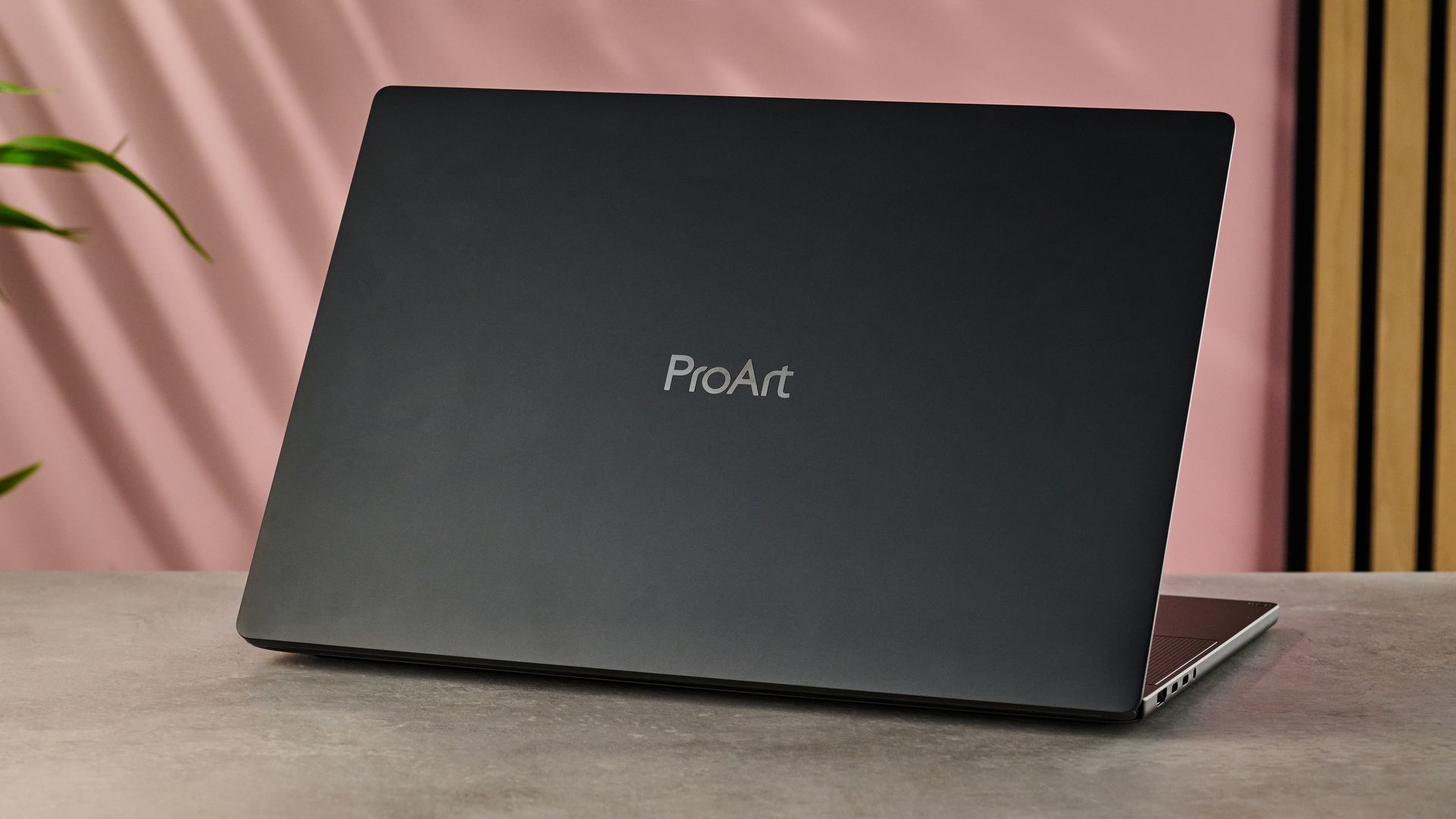
Like all of the initial lineup RTX Spark laptops I’ve seen, the new Asus ProArt P16 is a sleek-looking unit. While its 16-inch span is pretty expansive, it’s still light in terms of weight, clocking in at 1.77 kg compared to my 16-inch MacBook Pro M4’s 2.14kg. It’s also got a pretty sleek silhouette — unlike some of the RTX Spark laptop models I’ve seen, it’s not concealing a much chonkier base with the help of gradually sloping bevels. And its nano black and neo white colorways feel suitably premium, although I marginally prefer the black version I tested here.
It’s not all about style though: the ProArt P16 RTX Spark has plenty of substance too. Manufactured from smooth metal, its external and internal surfaces feel wonderfully tactile, although I’d say the inner ones feel a tiny bit less sturdy than the solid bodywork of the outside. On top of this, there’s a tiny bit of wobble to its screen when you touch it — I’d expect a slightly firmer hinge on a premium laptop like this.
Speaking of that screen, I found Asus’s 3K touchscreen Lumina Pro OLED to be pretty impressive on the whole. Not only can my unit hit a peak brightness of 1,100 nits and a max 120Hz VRR but comparing it to my MacBook Pro M4’s Liquid Retina XDR display while watching Pixar’s Elemental was — sorry for this — pretty illuminating. While the latter can go slightly brighter at 1,600 nits peak, I didn’t find the difference all that pronounced. And the colors of the P16 RTX Spark’s OLED panel were noticeably more vibrant, with the reds, blues and greens of the fire, water and earth elements really popping.
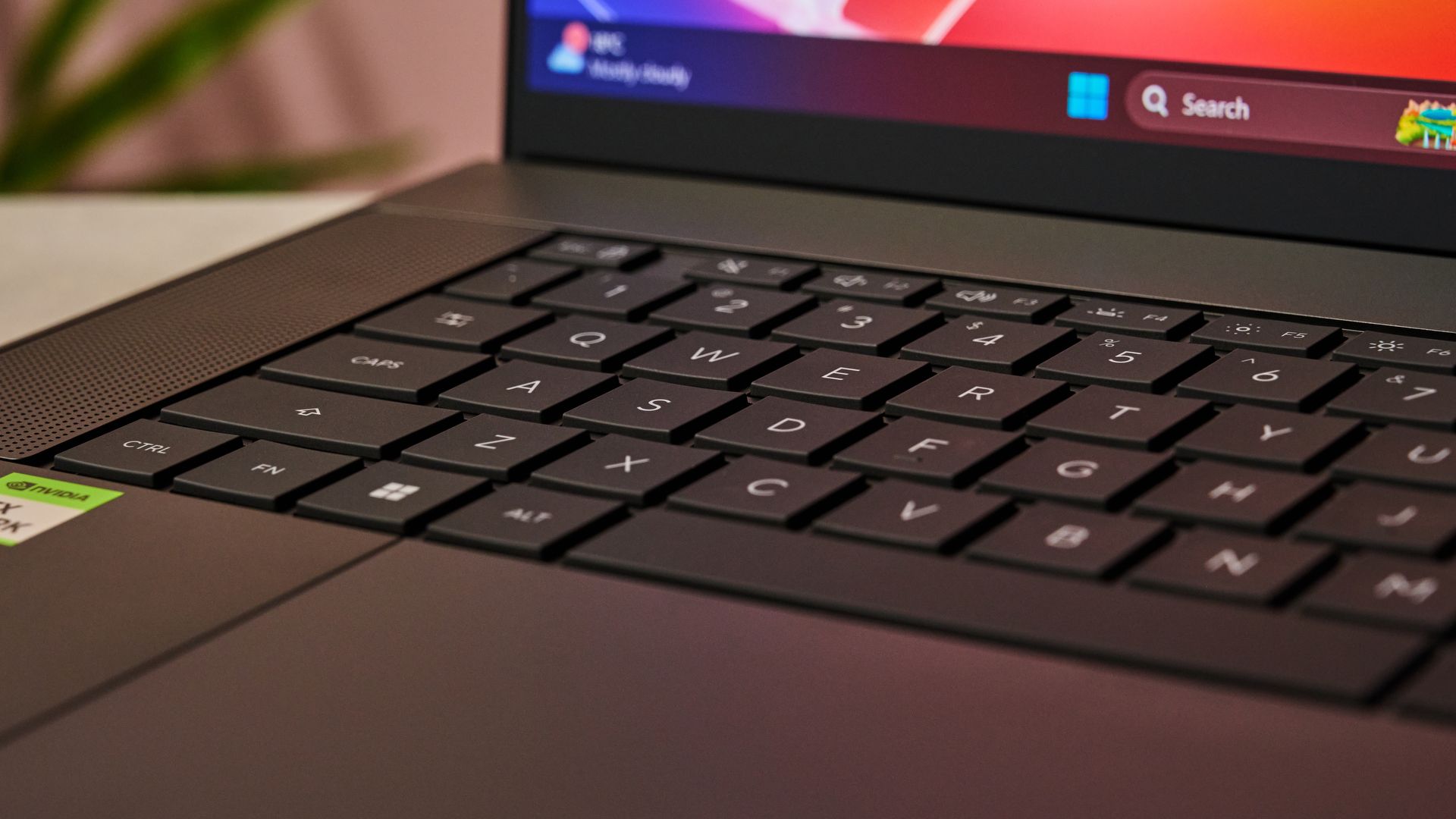
To say laptop keyboards can be hit or miss might be the understatement of the century but, fortunately, the ProArt P16 RTX Spark’s keyboard falls more in the former category than the latter. Although the keys don’t have a huge amount of travel, I still found the typing experience to be pretty fluid. I rarely ever struggled to find my chosen key when touch typing — although I did occasionally knock both parts of the dual enter key, accidentally sticking random #s at the end of sentences. Still, it felt nice to use, whether I was prompting an AI agent or rapidly splatting demons in Doom: The Dark Ages.
For the most part, the P16 RTX Spark’s trackpad is also well designed. It’s very accurate, gives you a huge area for controlling your cursor and the haptic feedback is spot on, feeling exactly like a mechanical click. Really the only issue I found with it is the right click triggers far too far to the left, meaning I’d sometimes accidentally right click on certain elements. Still though, it’s a decent trackpad for the most part.
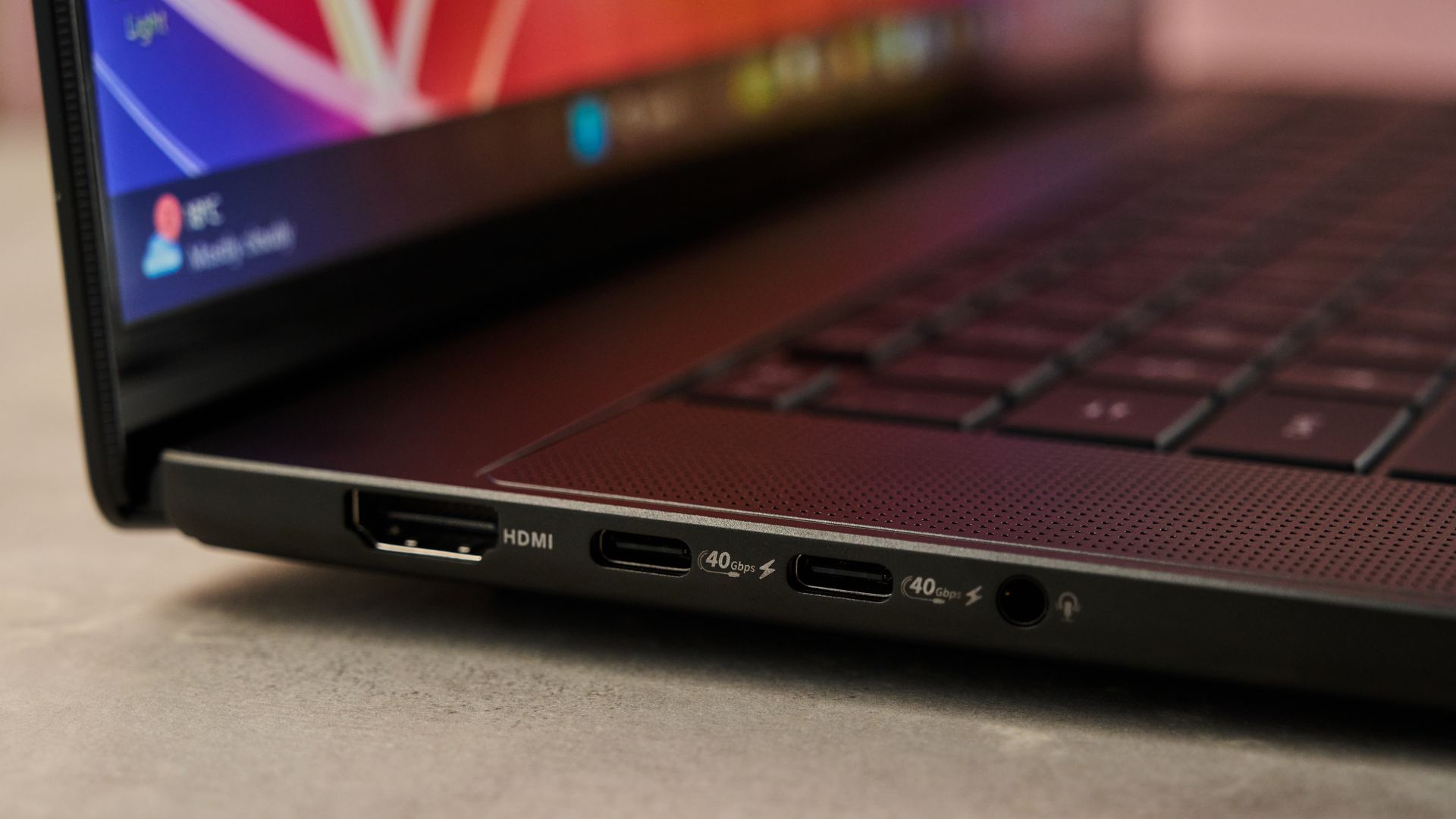
As you’d expect from a laptop this premium, the P16 RTX Spark comes with access to a wide range of connectivity options as well. On top of offering Wi-Fi 7 and Bluetooth 5.4 connectivity, it rocks a pretty decent selection of ports for such a slim laptop. These include three USB-C and one standard USB port, an HDMI 2.1 port, a 3.5mm headphone jack and an SD Express card reader. So even for most creative workflows, you should find you’re able to plug in plenty of devices to get things done.
- Design score: 4 / 5
Asus ProArt P16 RTX Spark review: performance
- Strong all-round performance
- Local AI workflows impressive but require some patience
- Specialist laptops can give better gaming or creative performance
I’ll be honest: by far the most exciting part about getting my hands on the Asus ProArt P16 RTX Spark is that eponymous chip. Similar to Apple’s M-series silicon, Nvidia’s RTX Spark is the company’s first attempt at a full system-on-a-chip architecture. And given Nvidia’s involvement in both the AI and gaming spaces, it’s safe to say I was looking forward to putting the Nvidia Spark RTX through its paces.
Combining CPU, GPU and RAM all in one compact package, the version of the RTX Spark included with the Asus ProArt P16 I tested here rocks 20 ARM CPU cores backed up by 64GB of RAM. Meanwhile, on the graphics side, it wields 6144 CUDA GPU cores with 30GB integrated memory. In terms of raw hardware, it's less cooked and more meaty than steak tartare.
While this is the equivalent of using a steam hammer to obliterate a nut, general productivity tasks ran perfectly smoothly on the ProArt P16 RTX Spark. Whether I was browsing the web, tinkering with spreadsheets or leafing through huge PDFs, I never experienced any awkward hanging or slowdowns. Even on the odd occasion when I had to look something up online while the laptop worked on an AI task, there wasn’t any unpleasant gear-crunching, showing the ProArt P16 is plenty fast enough for general use.
But you’re unlikely to be buying an RTX Spark laptop just for doing a bit of Googling or filing your taxes. Instead, the most obvious use case for the RTX Spark chip in the ProArt P16 is its hybrid agentic AI functionality. Put simply, rather than being forced to choose between using cloud models that potentially jeopardize the security of your data and less powerful local models, this blended approach means you can pick and choose which parts of your workflow you’re going to outsource to the cloud and which you’ll keep under strict local control.
With its integrated fifth-generation Tensor cores, the RTX Spark should be perfectly placed to support this. To see how fast it could run some of these models locally, I used the MLPerf Client benchmarking tool to mimic data analyst and SWE agentic workflows using the Qwen 3 8B local model. And the results felt pretty rapid, with the pipelines completing after an average duration of 63.7 and 50.8 seconds and processing up to 14,005 and 10,238 tokens respectively.
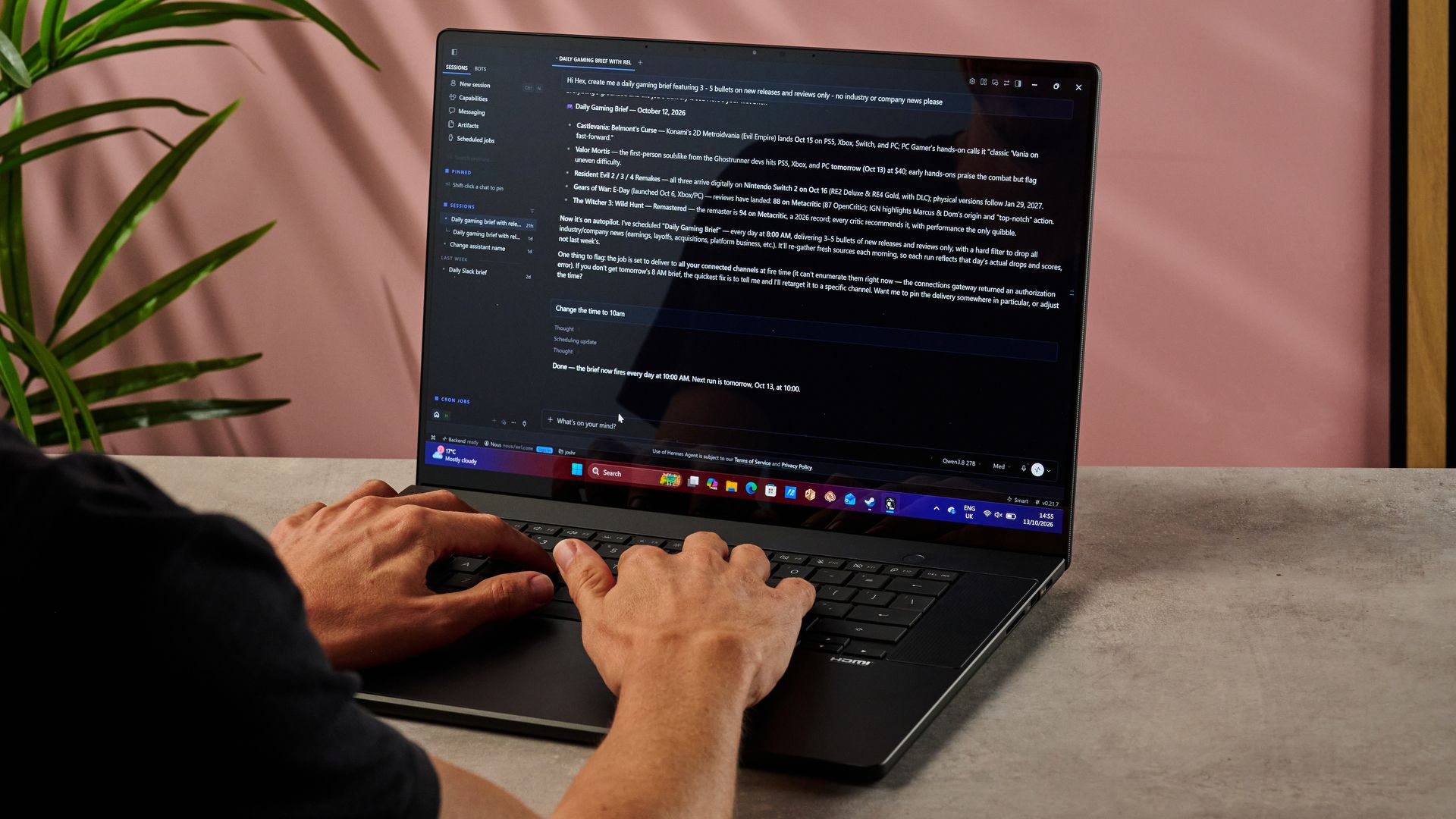
But I wanted to see for myself what it could do. So I fired up Hermes, the open-source AI agent tool, and set it up to run the local open-source model Qwen3.8 27B to see what having my own personal AI version of Alfred could help me achieve.
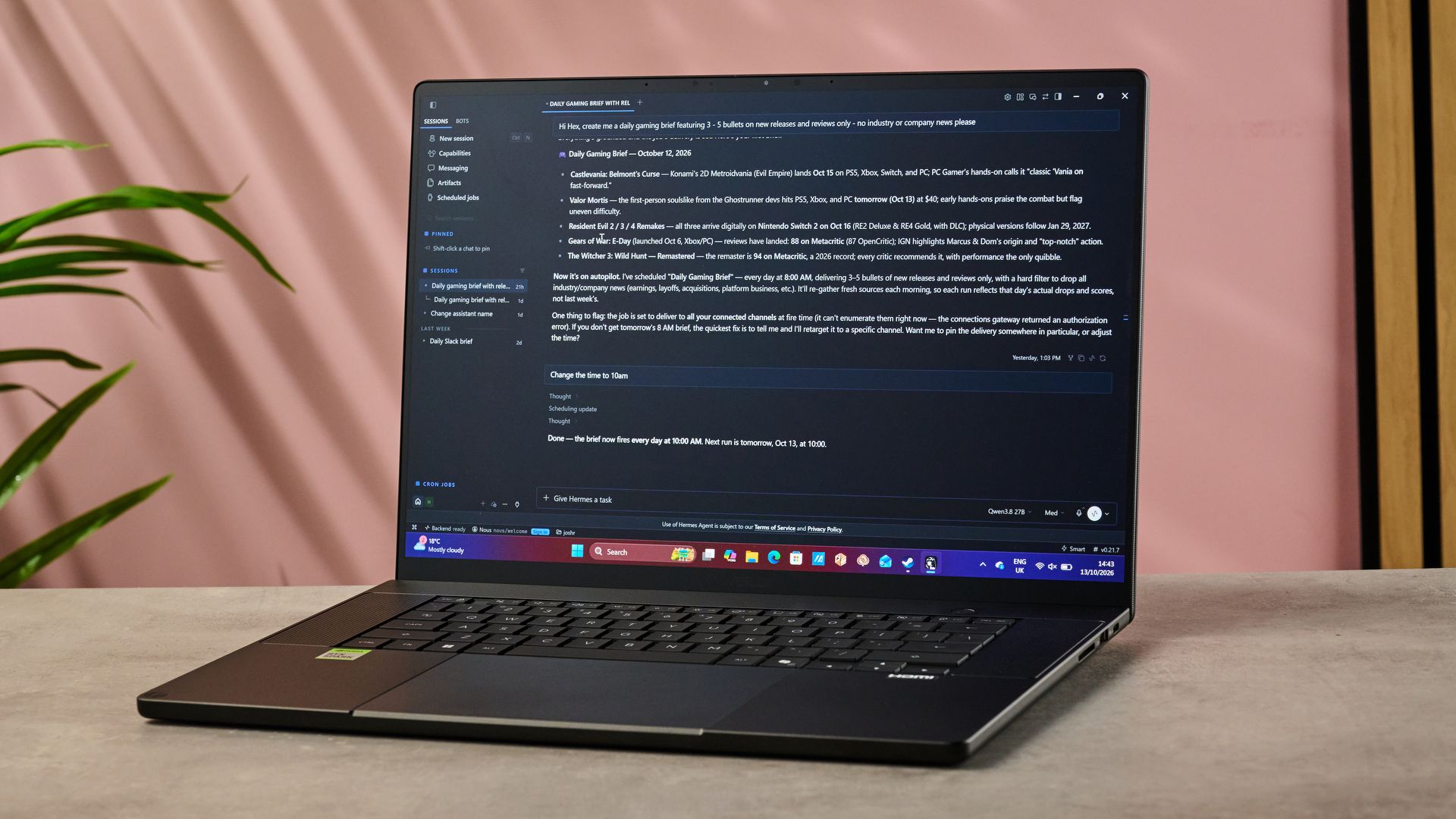
Some of the basic tasks I threw its way, the RTX Spark practically scoffed at. When I asked Hermes to organize a spreadsheet full of web analytics for me and pull out actionable highlights, it whipped the file up into a pivot table and gave me six bullet points within about 12 minutes. Asking it to convert this info into a presentation with slides and prompts took a little longer at 23 minutes, but it helped highlight the best information to pitch — even if the slides themselves needed a considerable glow up before I’d ever call them up in a Zoom call.
In theory though, these hybrid agentic AI tools can go much further than this. Not only can you convert your prompts into skills or schedule them to run as daily tasks but you can even set them to target your apps and control your screen directly.
Some of my experiments paid off here: after one abortive run, I eventually managed to get Hermes to access my emails and create a daily digest in 70 minutes. But trying to automate some of my 3DMark benchmarking process ended up being a real rabbit hole — even with judicious prompts throughout the process and prompting Hermes to find ways to boost the skill’s efficiency, it took around eight runs to significantly improve its workflow. So it’s important to recognize that while some agentic pipelines may save you time in the long run, without utilizing some cloud models, training them may take a decent investment.
Agentic AI isn’t the only use you can put all of that processing power to though. While I’m not a massive fan of generative AI, I can definitely see how fast the RTX Spark is at whipping up new images and videos. Automating some imagery and video pipelines using ComfyUI, the laptop completed tests of Flux2.Dev - NVFP4 and Flux2.Klein 4B Base - NVFP4 models in just 46.5 and 16.2 seconds, while the LTX 2.5 - Distilled - NVFP4 video model took 88 seconds. Those are pretty swift run times for local generative models.
And if, like me, you prefer creating your own stuff from scratch, my testing showed the ProArt P16 RTX Spark can help here too. Using PugetBench to automate a range of creative workflows, I found Asus’s laptop was capable of some lightning fast processing.
Our standard Photoshop workflow completed in 10.83 minutes and achieved a score of 11,801 — that’s not far short of Apple’s M5 chip at 13,755. And the RTX Spark offered even speedier performance for video work, securing a score in our Premier Pro benchmark of 76,234 in 8.12 minutes, giving the M5 chip a bit of a drubbing at 69,887. Unfortunately, it can’t keep up with the similarly priced Apple MacBook Pro M5 Pro though, which managed to best it for both still imagery and video with scores of 15,204 and 105,580 respectively.
Naturally, I’m not just going to take these numbers on trust though, so I dug out one of my most demanding Photoshop files — a 4K, 300dpi PSD with dozens of clipping masks and adjustment layers — and checked how the ProArt P16 RTX Spark handled it.
Manipulating layers and applying filters caused scarcely any slowdown, in spite of the fact I’d tripled the number of layers in the file. Even downscaling the image to 2K — no small task given the total file size was now in excess of 2GB — only took around five seconds, which is pleasingly swift. And thanks to the optimization work that Adobe has been doing behind the scenes to allow its apps to take advantage of the RTX Spark’s AI capabilities, even generative fills and neural filters didn’t take long to generate.
When it comes to gaming performance, I’d say the ProArt P16 RTX Spark hovers somewhere between mid-range laptops with RTX 5060 and RTX 5070 GPUs. For example, when playing Cyberpunk 2077 on Raytracing Ultra settings at 1080p, I found the Asus hovered around 30.16fps — but, by contrast, the Acer Predator Helios Neo 16S AI with an RTX 5060 only reached a marginally smoother 34.47fps. Other games told a similar story. For example, Doom: The Dark Ages on Ultra settings sat at a pretty decent 48fps on the ProArt P16. In comparison, with its slightly beefier RTX 5070, the Samsung Galaxy Book 6 Ultra whipped the game like meringue into a much smoother 63.98fps.
But that’s running things on max settings. In practice, when actually playing games on more moderate settings, they ran plenty smoothly enough, especially those that are already well optimized for the RTX Spark. As I explored Dogtown in Cyberpunk 2077 at Raytracing Medium settings, it chugged along at a perfect stable 60fps. And playing Dogs of War: E-day on Ultra settings, I never saw it drop below 110fps, which shows what wonderfully smooth experiences you should still be able to expect from native gaming on the RTX Spark.
Honestly, I’d say that if you put the Asus ProArt P16 RTX Spark up against any similarly priced, specialist laptop focused on AI, creative workflows or gaming, you’ll likely find its performance can’t quite keep up. But that’s the point — RTX Spark laptops are a triple threat: they’re designed to be a swiss army knife that can handle every task you might throw at them. So if you want a lightweight laptop that combines the agentic AI hosting of a compact desktop, the creative power of the Apple M5 and the gaming oomph of the Nvidia Geforce RTX 5060, all in one handy package, the Asus ProArt P16 RTX Spark should have your back.
- Performance score: 4.5 / 5
Asus ProArt P16 RTX Spark review: battery test
- Battery should last 14 hours of standard use
- Some similar rivals can outlast it
Being able to achieve all of this on the go is impressive. But for that to be sustainable, it needs a battery that can keep up with these kinds of heavy duty tasks. Fortunately, the Asus ProArt P16 RTX Spark is capable of decent battery life, even if it’s not quite as exceptional as some of its rivals.
Running it through our standard battery tests, I played a 1080p video at 50% brightness and volume to see how long it took to drain the battery from 100% to 0%. The ProArt P16 RTX Spark ran out of juice after 11h 23m — that’s not at all bad but it’s also not quite at the level I’d expect for a premium laptop like this.
But a video test doesn’t necessarily give you the full picture. One of the big benefits of an SoC is through boosted efficiency during CPU usage, so I wanted to also run some tests that showed how the laptop fared in action. Running PCMark 10’s applications battery test — which runs various Microsoft Office based tasks until the battery is drained — the ProArt P16 lasted 14h 24m.
That’s definitely a better score, even if it falls a little ways short of some of the best laptops for Windows. For example, the Samsung Galaxy Book6 Ultra managed well over 15 hours in our benchmark tests and that wasn’t even the strongest contender. The MacBook Pro M5 Pro 16-inch clocked over 21 hours, which makes the ProArt P16’s look pretty short-lived in comparison.
Fortunately, the Asus ProArt P16 RTX Spark does have one extra trick up its sleeve: its charging rate. Thanks to its 140W fast charging, topping your battery up again should be a relatively speedy affair. Sadly, my US unit didn’t come with a UK plug — slight oversight there — so I wasn’t able to test this as I would have liked. Still, my 65W charger topped it up relatively quickly, so you’ll definitely get pretty speedy charging out that 140W cable.
So I’d say that, all in all, the Asus ProArt P16 RTX Spark is capable of competitive battery life. When you’re doing standard office work, it’ll get you through a full day without you having to hunt out a charger. But it’s still not quite able to keep pace with the most enduring batteries on the market and particularly intensive tasks like AI or gaming are going to drain it much faster.
- Battery score: 4 / 5
Should I buy the Asus ProArt P16 RTX Spark?
Value |
The Asus ProArt P16 RTX Spark has a lot of power behind it, an attractive lightweight design and a gorgeous screen. But that price is going to be a stumbling block for many, particularly when specialist gaming or creative laptops achieve better performance for similar cash. |
2.5 / 5 |
Design |
A stunning 3K OLED screen, lightweight design and premium feeling materials, although it loses a few marks here and there for small details like its wobbly screen and slightly off-balance trackpad. |
4 / 5 |
Performance |
While the ProArt P16 RTX Spark doesn’t offer top level performance in creative workflows or gaming, its AI tools and how much power it crams into a small frame are very impressive. Additionally, the fact it performs so well across so many categories makes it a great all rounder. |
4.5 / 5 |
Battery Life |
At roughly 14.5 hours, this laptop’s battery is strong but not exactly exceptional. You’ll comfortably get more than a day’s work out of it but it will definitely tap out sooner than a MacBook Pro during intensive workloads. |
4 / 5 |
Total |
The Asus ProArt P16 RTX Spark is a good-looking, lightweight laptop that’s perfect for anyone who wants to create, game and use AI agents on a single device. But that high price means that if you care most about performance in a single area, you’ll be better off with a specialist laptop. |
4 / 5 |
Buy it if…
You want to game, create and use AI on a single device
Thanks to Nvidia’s RTX Spark SoC, the Asus ProArt P16 puts considerable power behind every task you might throw at it. So if you’re a bit of a polymath, it may well be the only device you need.
You want a seriously portable 16-inch device
Despite that gorgeous and expansive 16-inch display, the laptop’s wonderfully light — at 3.9 lbs / 1.77kg, it’s svelter than other powerful laptops like the MacBook Pro M5 Pro or the Samsung Galaxy Book6 Ultra.
Don’t buy it if…
You want top performance in any one category
If you only really care about gaming or creative work is your sole priority, there are laptops out there that can give you peak performance for a similar spend.
You don’t have loads of money laying around
There’s no getting away from it: this laptop ain’t cheap. Even in its base spec, you’ll be paying $4,399.99 / £3,899.99 / AU$7,999, so if you’re not feeling flush, you might want to look elsewhere.
Asus ProArt P16 RTX Spark review: also consider
Apple MacBook Pro M5 Pro
If you’re wanting a true creative powerhouse, the MacBook Pro M5 Pro will get you there. Despite costing a similar price, this incarnation of Apple’s laptop will absolutely blitz both image and video workflows, while also offering an absurdly long 21-hour battery life. While you’re not going to get top shelf gaming performance out of Apple silicon, this is still a great choice if your main concern is sheer creative thrust. Read our full Apple MacBook Pro M5 Pro review.
Asus Zephyrus G16 2026
With its discrete Nvidia Geforce RTX 5080 GPU, the Asus Zephyrus G16 2026 offers seriously nippy gaming performance, besting the P16 RTX Spark in both benchmarks and in-game frame rates. Okay, it’s not going to unlock the same oomph the P16 can for hybrid AI workflows. But if your main concern is pure gaming punch, the Zephyrus G16 will deliver.
How I tested the Asus ProArt P16 RTX Spark
- Tested over the course of several weeks
- Ran a huge number of benchmarks for different workflows
- Conducted experiential AI, gaming and creative testing
Testing the Asus ProArt P16 RTX Spark over the course of several weeks, I ran a wide range of benchmarks. Not only did I run a variety of baseline hardware tests using Geekbench 7.1 and Cinebench R23, but I tested performance across a wide range of tasks as well. I used MLPerf Client to test agentic workflows, ComfyUI to simulate generative workflows, PugetBench to automate creative tasks and 3DMark and gaming benchmarks to test in-game GPU performance.
On top of this, I did a wide range of experiential testing. Not only did I use the laptop for plenty of daily and productivity-based work but I also extensively tested agentic AI workflows using Hermes and the local open-source model Qwen3.8 27B. I also tried carrying out creative work using large, hi-resolution Photoshop files and played a range of games including Cyberpunk 2077, Gears of War: E-day and Planet Zoo 2.
As TechRadar’s reviews editor, I have plenty of experience covering laptops. As well as editing scores of laptop reviews over the last few years, I’ve reviewed multiple gaming handhelds and have used a huge variety of laptops over the years, both Windows and MacOS.
- First reviewed: October 2026
- Read more about how we test